

Reporting scores just got easier
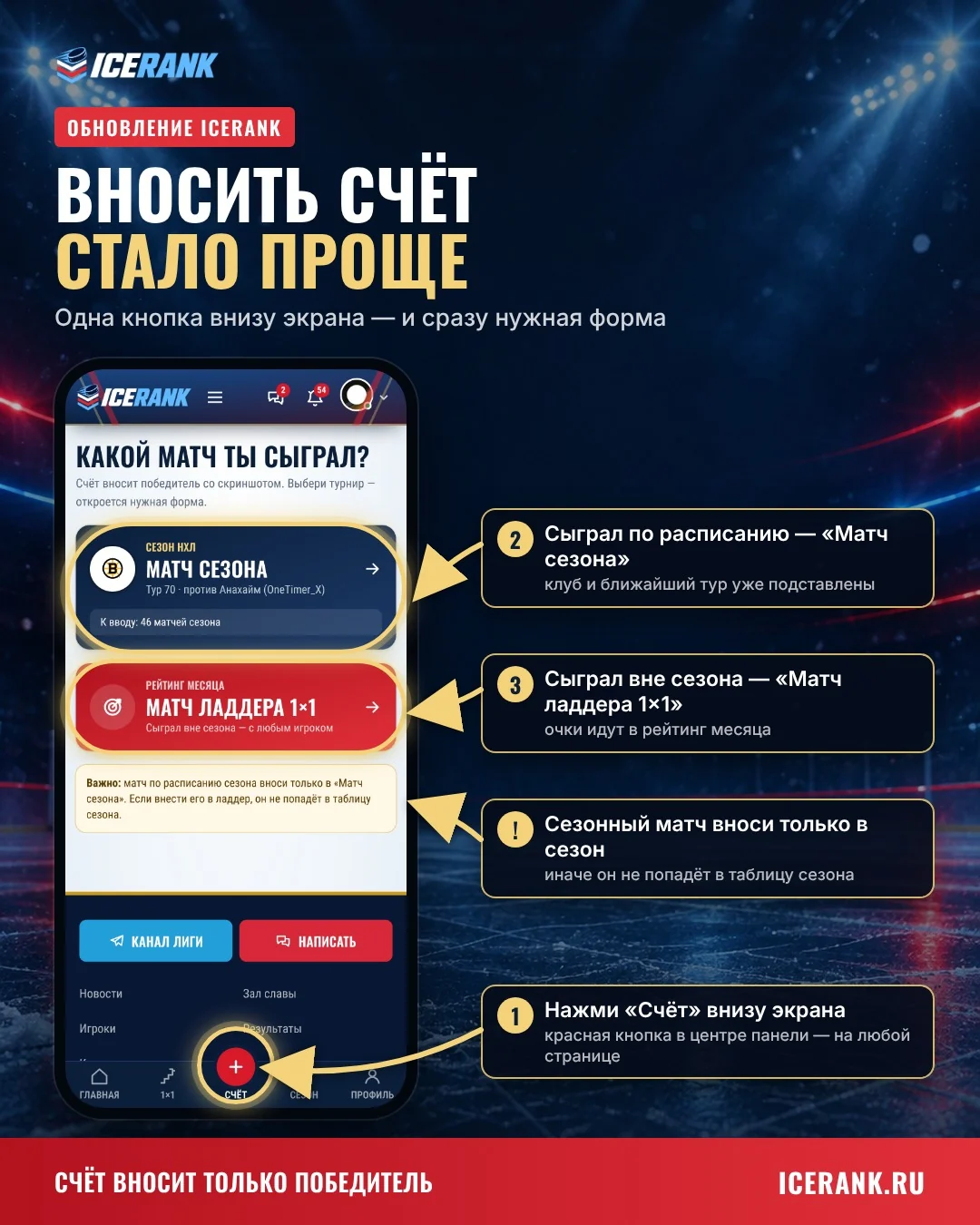
Only the winner reports the score, with a screenshot, and the opponent confirms in one tap. On mobile, there's a "Score" button at the bottom of the screen.
We've reworked score reporting: no more confusion and no more double entry.
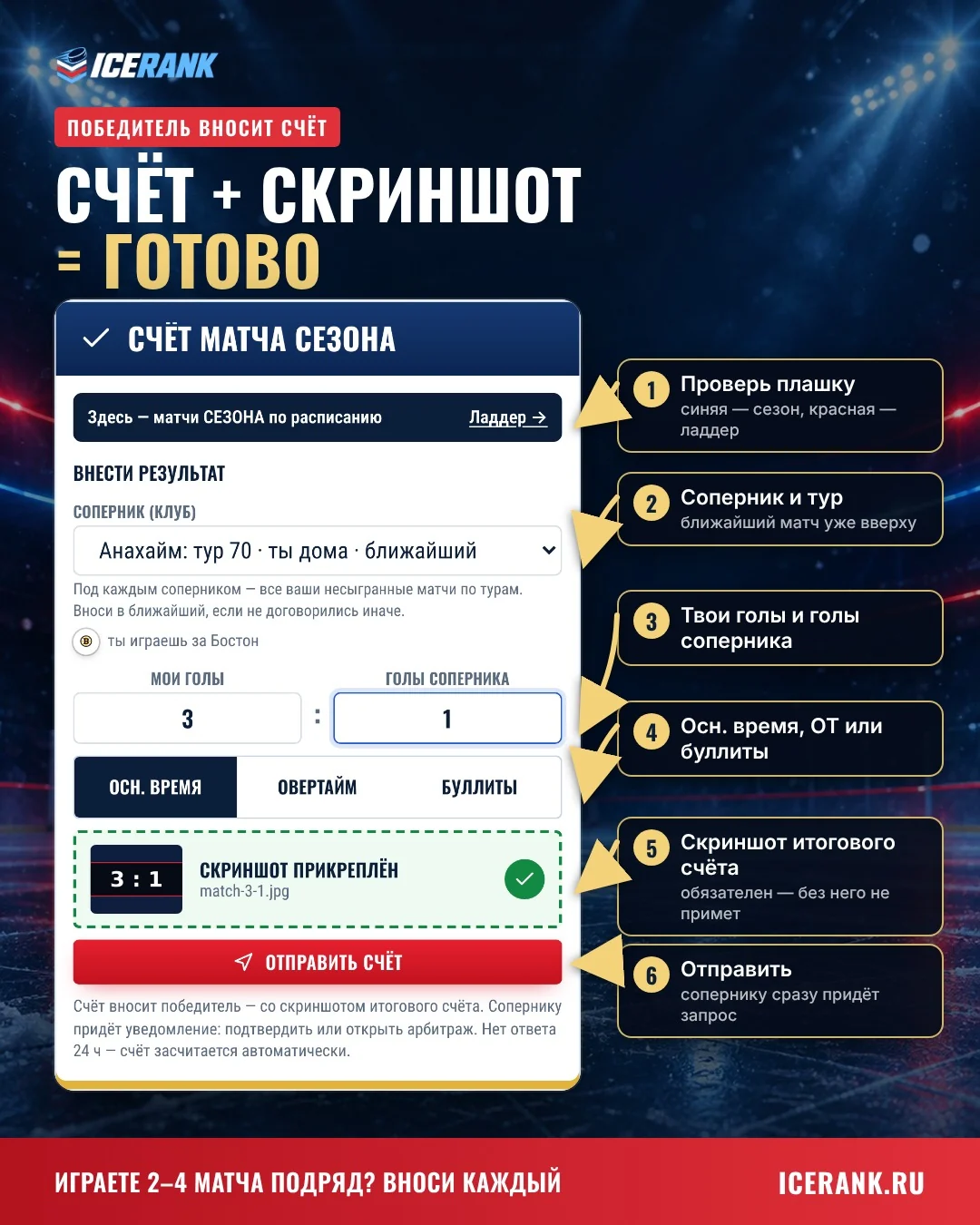
The winner reports the score
Enter the score, add a screenshot of the final score, hit "Submit score". Done.
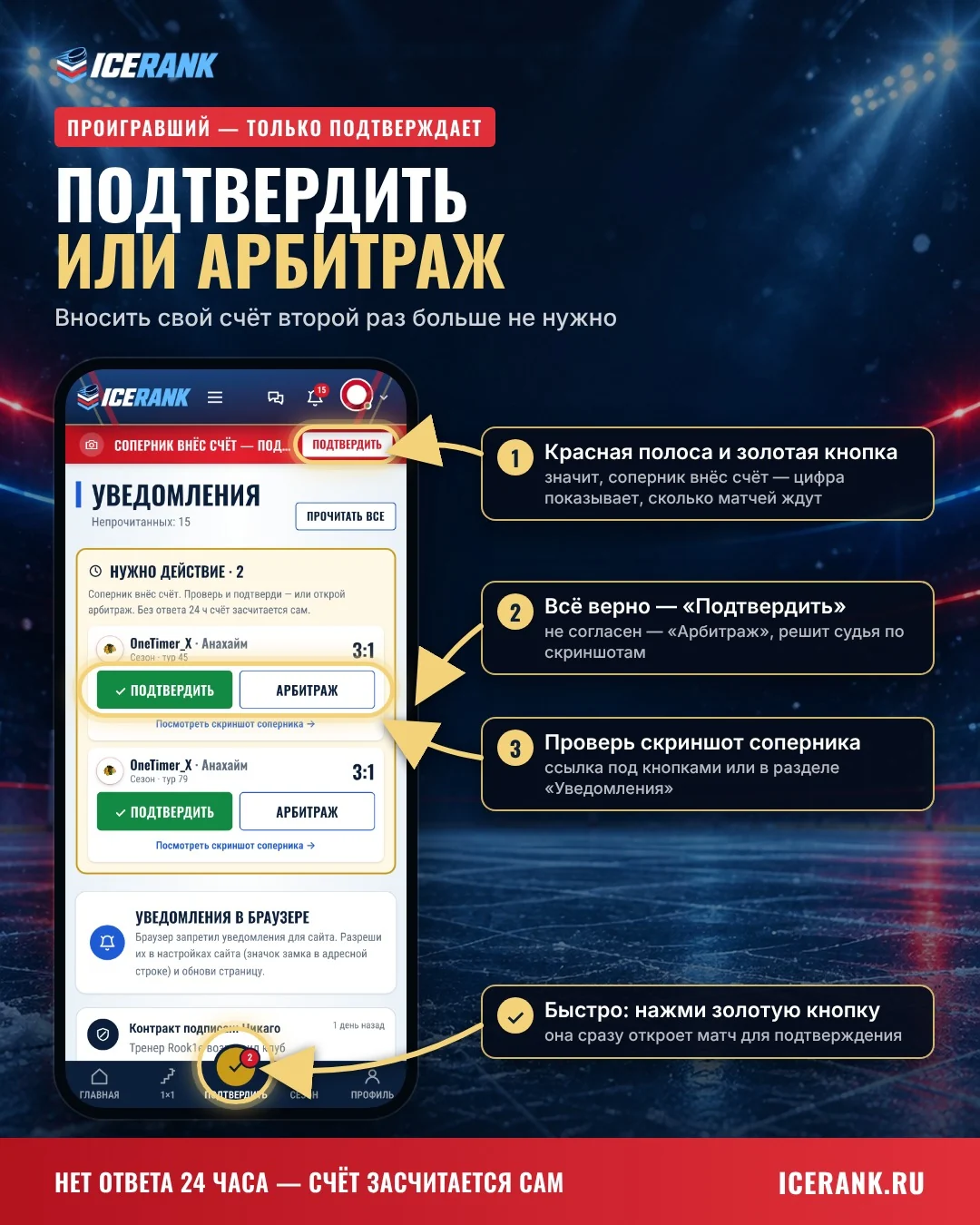
The loser just confirms
You get a notification: "Confirm" or "Dispute". No response within 24 hours — the score is accepted automatically.
The "Score" button on mobile
At the bottom of the screen, on every page. Playing both the season and the ladder? The site will ask which match you played. If someone has reported a score against you, the button turns gold and says "Confirm".
Important: scheduled season matches must be reported under "Season match" only, otherwise they won't count in the standings.
Tip: add the site to your Home Screen — it works like an app, and score notifications arrive instantly. Instructions are in the "ICERANK as an app" news post.